


The best training management software for training providers in 2026
Six tools compared feature by feature, with what they cost and who each one suits. Everything checked in October 2026.
For most training providers, Teachbox is the best all-around choice. It lets you schedule courses and trainers, take bookings and payments online, send reminders automatically, run eLearning and issue certificates, all in one modern, easy-to-use platform.
The other five each suit a different kind of provider. Arlo is the most established, and Dante is a simple option if you don't need eLearning. accessplanit, Administrate and Training Orchestra are built for larger organizations with complex needs.
The shortlist at a glance
Here's who each tool suits and what it costs to get started. Tap a name to jump to its review.
| Tool | Best for | Starting price | Free trial |
|---|---|---|---|
| Teachbox | Best overall. Small teams who want everything included, in a modern platform that's quick to set up | $120 per admin a month, billed yearly. No booking or setup fees | 14 days, no card |
| Arlo | Established providers who want a mature tool and don't mind per-booking fees | $118 per admin a month, billed yearly, plus $2.15 per paid booking and a setup fee | 14 days |
| Dante | Providers who want simple course admin on a monthly contract and don't need eLearning | £70 a month, plus a £500 to £1,100 setup fee (priced in pounds) | Not stated |
| accessplanit | Larger providers with big admin teams and complex processes | Quote only | No, demo only |
| Administrate | Enterprise and corporate training teams | Quote only | Not stated |
| Training Orchestra | Large corporate training departments that already have an LMS | Quote only | Not stated |
Prices are taken from each company's own pricing page on 14 October 2026 and exclude sales tax. Dante prices in British pounds.
Features side by side
This is where the tools really differ. Most of them cover the basics, like booking and a learner portal. The gaps show up in eLearning, booking on your own website, trainer calendars, certificates and accounting, which are the jobs that eat the most admin time.
Scroll sideways to compare all six tools →
| Feature | Teachbox | Arlo | Dante | accessplanit | Administrate | Training Orchestra |
|---|---|---|---|---|---|---|
| Running courses | ||||||
| In-person course scheduling | ✓ | ✓ | ✓ | ✓ | ✓ | ✓ |
| Live online courses | ✓ With Zoom built in | ✓ | ✓ | ✓ | ✓ | ✓ |
| Private courses for client companies | ✓ | ✓ | ✓ | ✓ | ✓ | ✓ |
| Trainer and room scheduling | ✓ | ✓ | ✓ | ✓ | ✓ | ✓ |
| Two-way trainer calendar sync (Google and Microsoft) | ✓ | Partly One-way, via Zapier | Partly One-way calendar feed | Add-on Paid module | ✓ | Partly One-way invites |
| Automated emails and reminders | ✓ | ✓ | ✓ Professional plan | ✓ | ✓ | ✓ |
| Attendance tracking | ✓ | ✓ | ✓ | ✓ | ✓ | ✓ |
| File sharing with learners and trainers | ✓ | Partly 1GB included | ✓ | ✓ | ✓ | ✓ |
| Trainer mobile app | Partly Mobile-friendly web portal | ✓ iOS and Android | ✓ Tutor app | Partly Mobile-friendly web portal | ✕ Not documented | Partly Web only |
| Booking and payments | ||||||
| Hosted course website with online booking | ✓ | ✓ | Partly Checkout pages only | Partly Basket and checkout | ✓ | Partly Client portal ordering |
| Booking on your own website | ✓ Copy-and-paste widgets | Partly Plugin, code or API; developer advised | Partly WordPress plugin or API | Partly Code snippet, feeds or API | Partly Code widgets or API | ✕ Not documented |
| Online card payments | ✓ | ✓ | ✓ | ✓ | ✓ | ✕ Not documented |
| Custom registration forms | ✓ | ✓ | ✓ | ✓ | ✓ | ✕ Not documented |
| Several ticket types per course | ✓ e.g. member, early bird | Partly Discounts instead | Partly Client pricing schemes | Partly Price schemes by customer | ✓ Price levels | Partly Public and in-house prices |
| Waitlists | ✓ | ✓ | ✕ Not documented | ✓ | Partly Interest list | ✓ |
| Learning and certificates | ||||||
| Built-in eLearning | ✓ Lessons, video and quizzes | Add-on From $99 a month | ✕ | Add-on SCORM hosting only | ✓ Built-in LMS | ✕ Connects to an LMS |
| Feedback surveys | ✓ | Partly Via SurveyMonkey | ✓ | ✓ | Partly Via SurveyMonkey | Partly Via connectors |
| Certificate designer | ✓ Drag-and-drop builder and templates | Partly Word templates; auto-issue on top plan | Partly Document templates | Partly Word templates | Partly Custom designs via support | Partly Basic certificate emails |
| Custom result and grading schemes | ✓ | Partly Pass, fail and a grade | Partly Fixed result types | Partly Statuses and scores | Partly Pass, fail and scores | ✕ Not documented |
| Customers, reporting and integrations | ||||||
| Learner portal | ✓ | ✓ | ✓ | ✓ | ✓ | ✓ |
| Portal for client organizations | ✓ | ✓ Professional and up | ✓ | ✓ | ✓ May cost extra | ✓ |
| Customer database and reporting | ✓ | ✓ | ✓ | ✓ | ✓ | ✓ |
| Xero integration | ✓ Invoices, contacts, payments, credit notes, account codes | ✓ Built in | ✓ Built in | Add-on One-way, via third-party software | ✓ Invoices out, payments back | ✕ |
| Zoom integration | ✓ Links, attendance and feedback | ✓ | ✕ Not documented | Add-on Paid module | ✓ | Partly Generic connector |
| Costs | ||||||
| Per-booking fees | ✓ None | ✕ $2.15 per paid booking | ✓ None listed | Partly Quote only | Partly Quote only | Partly Quote only |
| Setup fee | ✓ None, onboarding included | ✕ From $695 | ✕ £500 to £2,500 | ✕ One-off fee, quote only | Partly Quote only | Partly Quote only |
✓ included · Add-on costs extra · Partly means a limited version or a workaround · ✕ not offered or not documented. Some features depend on the plan; see each review. Checked on 14 October 2026 against each company's website and help center.
What training management software does
Training management software runs the business side of your courses. It handles everything from putting a date on the calendar to sending the certificate, so you're not doing it by hand across five different tools.
For each course, it takes care of five jobs:
- Schedule. Put the course on the calendar and book the trainer and room.
- Book and pay. People find the course on your website, book a spot and pay online, any time of day.
- Remind. Joining instructions and reminders go out on their own, so nobody shows up at the wrong place.
- Deliver. Take attendance and share materials or eLearning, all in one place.
- Certify. Certificates go out when people pass, and you're reminded when they're due to renew.
It's different from an LMS (learning management system), which is software for delivering online learning like videos and quizzes. Some tools do both. If you're not sure which you need, our guide to LMS vs training management systems explains the difference.
Signs you're ready for one
- Your booking spreadsheet is never quite up to date
- You send joining instructions and reminders by hand
- A trainer has shown up at the wrong venue, or not at all
- You retype names onto certificates after every course
- Finding out how full next month's courses are takes an hour
If you run a handful of courses a year, a spreadsheet and a booking form are probably fine. Software starts paying for itself once you're running a few courses a week.
How we chose
We looked at tools built for organizations that run scheduled courses, whether in person, live online or a mix. For each one we went through its website, pricing page and help center, feature by feature. We also read its reviews on G2 and Capterra, looking for complaints that come up again and again rather than one-off rants.
We left out tools built mainly for selling online video courses, like Teachable and Kajabi. They're good at that job, but they don't handle trainers, venues or course dates.
The six tools, reviewed
Each review follows the same pattern: who it's best for, what it's like, what it costs and what to watch out for.
Teachbox
Best overall: everything you need in one modern, easy-to-use platform, with no extras to pay for
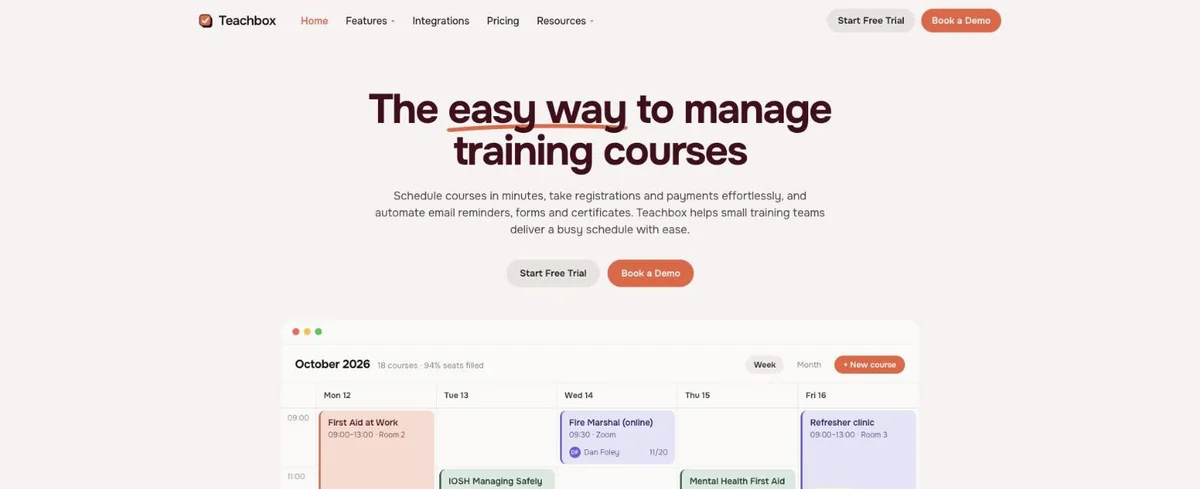
Teachbox gives you everything you need to run a training business in one modern, easy-to-use platform. You don't pay extra for eLearning, you don't pay a fee on every booking, and there's no setup fee. It's built for small teams who'd rather spend their time running courses than spending three months on setup and another three configuring add-ons and integrations. Most teams are up and running in days.
Here's what's included:
- Scheduling. Plan courses in person, live online, self-paced or a mix, including multi-day and private courses for clients. Book trainers and rooms, and trainers' Google or Microsoft calendars stay in sync both ways, so you can see when they're free.
- Your course website and booking. A hosted course website is live from day one. To take bookings on your own site, copy and paste a widget; it usually takes a couple of minutes, with no developer needed.
- Registration and payments. Branded booking pages, custom forms, several ticket types per course, discounts, capacity limits and waitlists. People pay by card through Stripe or by invoice.
- Automated admin. Joining instructions, reminders, calendar invites, attendance and feedback surveys happen around each course without you lifting a finger.
- eLearning. Build lessons, videos and quizzes for online and blended courses, with no add-on fee. Zoom links are created for you, and attendance comes back automatically.
- Certificates and results. Design certificates with a drag-and-drop builder or upload your own, issue them automatically and track renewals. Record results, with your own grades and pass rules if you need them.
- Portals, reporting and accounts. Portals for learners and client organizations, a built-in customer database, reports, and a Xero integration that keeps invoices, payments, credit notes and account codes in sync.
Learners and trainers are unlimited on every plan, and onboarding, including moving your data across, is free. It's the newest platform on this list, designed from the start to be quick to learn for everyone on your team.
SPEAKup, a communication skills training company, replaced six separate tools with Teachbox. They now save around 50 hours of admin a month.
What it costs
Essentials is $120 per admin a month, billed yearly, or $132 billed monthly, for up to two admins. Professional, which adds eLearning, waitlists, website widgets and the Xero and Zoom integrations, is $160. Advanced, which adds the organization portal and custom result schemes, is $200. There are no booking fees or setup fees. See the full breakdown on our pricing page.
See if Teachbox fits the way you run courses
Try it free for 14 days with your own courses, no card needed. Or book a quick demo and we'll show you around.
Arlo
A mature, feature-rich tool used by training providers in over 70 countries
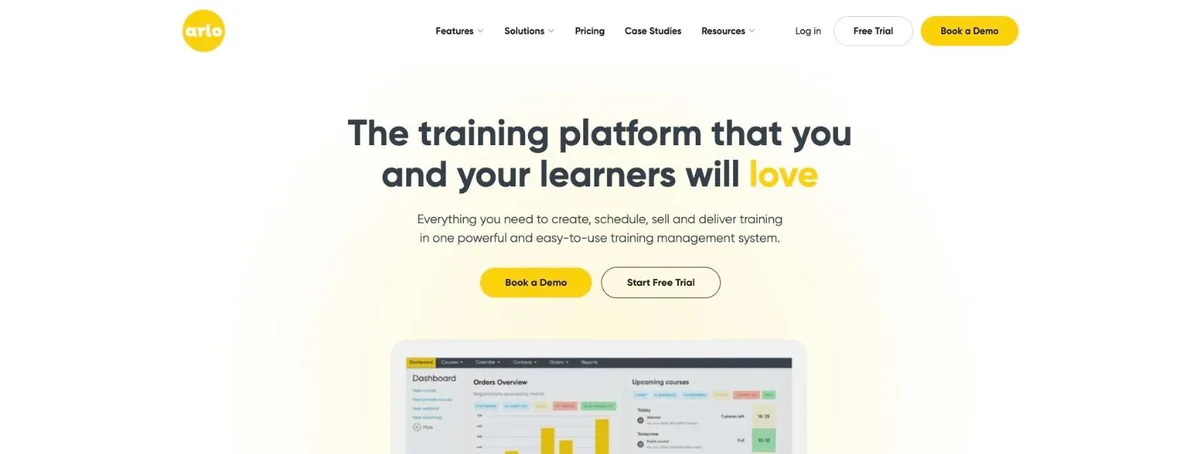
Arlo has been around since 2007, which makes it one of the most established names here. It covers course scheduling, a hosted course website and checkout, a customer database, waitlists, a learner portal and a newer portal for client organizations. Its Xero integration is solid, it works with Zoom, and it has a mobile app for trainers. Reviewers on G2 and Capterra consistently praise its support.
The gaps are in the extras. eLearning is a paid add-on. Feedback surveys run through SurveyMonkey. Calendar sync is one-way, through Zapier. Certificates are Word templates you upload, and automatic certificates are only on the Enterprise plan. Adding booking to your own website means a WordPress plugin, code or the API, and Arlo suggests using a developer.
What it costs
Plans start at $118 per admin a month billed yearly, or $132 monthly, according to Arlo's pricing page. You also pay $2.15 for every paid registration and $1.07 for every free one. A setup package is required on every plan, from $695. eLearning is an add-on from $99 a month.
Dante
Straightforward course admin with simple monthly pricing
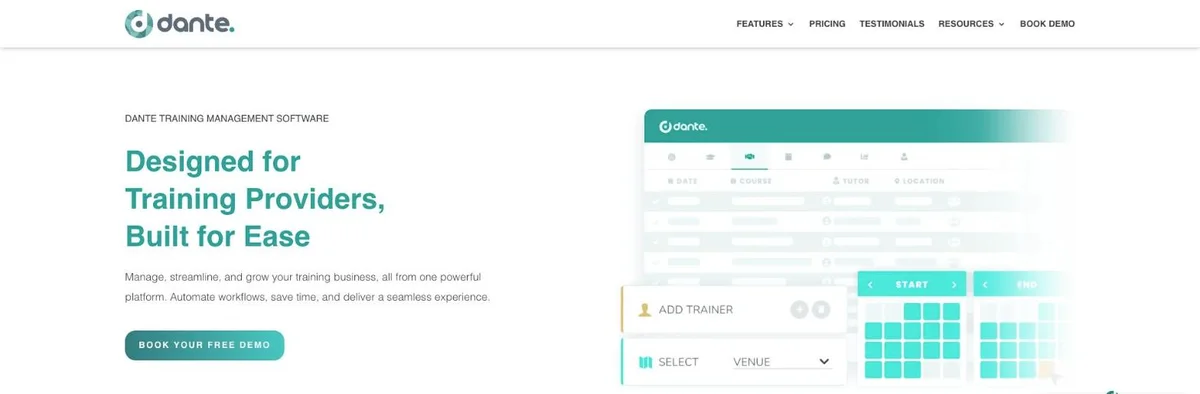
Dante covers scheduling, online booking forms, forms and evaluations, certificates, file sharing, and portals for learners and client companies. It has a built-in Xero connection, takes card payments through Stripe and has a tutor app. Reviewers like its support and the admin time it saves.
It's more limited elsewhere. There's no built-in eLearning, and we couldn't find waitlists or a Zoom integration in its help center. Trainer calendars get a one-way feed rather than a two-way sync. Booking on your own website works through a WordPress plugin or the API.
What it costs
Essentials is £70 a month and Professional is £200 a month, each listed with 30 users, according to Dante's pricing page. There's a one-off setup fee of £500 to £1,100 on Essentials, or £1,250 to £2,500 on Professional. Contracts are monthly, and prices are in British pounds.
accessplanit
Powerful, highly configurable software for larger training providers
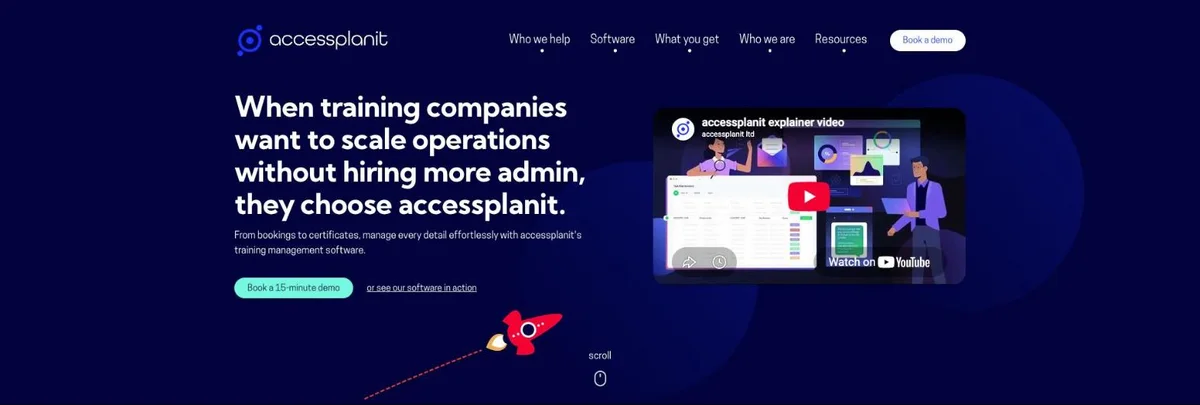
accessplanit has worked only with training providers for more than 20 years. It's strong on automation, with workflows for emails, text messages and certificate expiry reminders, and it has built-in surveys, waitlists, file sharing and portals for learners and managers. Reviewers rate its customer service highly.
Many features are paid modules: hosting SCORM eLearning, two-way Google and Outlook calendar sync, Zoom and Teams, and the API. Xero works through third-party software that only sends data one way. Certificates are Word templates, and booking on your own website means adding a code snippet or using its API.
What it costs
Prices aren't published. You pay a one-off implementation fee plus an annual license, priced on your number of admins, how many people you train a year and which modules you take, according to accessplanit's pricing page. Implementation takes 60 to 90 days.
Administrate
Enterprise training management for large classroom and virtual programs

Administrate describes itself as built for enterprise. It's a capable system: it has its own LMS, two-way instructor calendar sync with Google and Outlook, price levels like early bird, Zoom and Teams, a hosted storefront, and a Xero connection. It also connects to big corporate systems like Docebo, Cornerstone and Workday.
Feedback surveys run through SurveyMonkey, custom certificate designs go through a request to its support team, and booking on your own website means adding code widgets or using its API.
What it costs
Prices are quote only. Administrate's pricing page says packages typically range from five to mid-six figures, and onboarding takes from 12 weeks.
Training Orchestra
Scheduling and cost tracking for corporate training departments
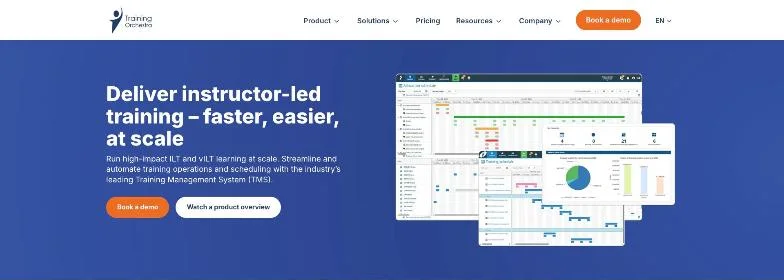
Training Orchestra helps large organizations plan instructor-led and virtual training and keep track of trainers, rooms and budgets. It has waitlists, file sharing and portals for employees, managers, trainers and clients. It sits alongside an LMS rather than replacing one, and most of its focus is on corporate training departments.
We couldn't find a payment gateway, a Xero integration or custom result schemes on its website. Calendar updates go out as one-way invites, and certificates are basic.
What it costs
Prices are quote only. Its packages page lists Essential, Professional and Enterprise packages without prices.
What it really costs in the first year
Comparing prices is hard because every tool charges in a different way. So here's a rough first-year cost for one example: a provider with two admins taking 1,000 paid bookings a year, on each tool's mid-level plan.
| Tool and plan | Subscription | Booking fees | Setup | First year |
|---|---|---|---|---|
| Teachbox Professional | $3,840 (2 admins × $160 × 12) | None | None | $3,840 |
| Arlo Professional | $4,896 (2 admins × $204 × 12) | $2,150 (1,000 × $2.15) | From $695 | From $7,741 |
| Dante Professional | £2,400 (£200 × 12) | None listed | £1,250 to £2,500 | £3,650 to £4,900 |
| accessplanit | Quote only | Quote only | Quote only | Quote only |
| Administrate | Quote only | Quote only | Quote only | Quote only |
| Training Orchestra | Quote only | Quote only | Quote only | Quote only |
Based on prices published on each company's own website on 14 October 2026, billed yearly, excluding sales tax and add-ons such as Arlo's eLearning. Dante prices in British pounds.
The point isn't the exact totals. It's that booking fees, setup fees and paid add-ons can matter as much as the monthly price. Work out the cost at your size today, then again at double your size.
How to choose the right one
Before you book any demos, write down the three jobs that eat most of your week. Then use these questions to narrow the list.
- How do you charge? Per admin, per booking or per learner? Work out the cost now and if you doubled in size.
- What's the setup fee, and how long until we're live? Some tools take days, others take three months.
- Can it run courses the way we deliver them? In person, live online, eLearning, multi-day courses or a mix.
- How do we add booking to our website? Ask whether it's a copy-and-paste widget or a job for a developer.
- How are certificates handled? Can you design them yourself, issue them automatically and remind people when they're due again?
- Does it connect to our accounting software? Ask exactly what syncs, and in which direction.
- Which features are add-ons? Get the price of the setup you actually need, not just the base plan.
Then take a free trial and set up a real course, not the demo data. An afternoon setting up your actual CPR course, with its real dates, prices and joining instructions, will teach you more than an hour-long demo.
Start your shortlist with Teachbox
Everything you need is included, there are no booking or setup fees, and most teams are up and running in days. Set up your first course free and see how it feels.
Frequently asked questions
What is training management software?
Training management software runs the business side of training courses. It handles scheduling, bookings, payments, joining instructions, attendance and certificates in one place, so you are not doing each job by hand in a different tool.
What is the difference between an LMS and a training management system?
An LMS (learning management system) delivers online learning, like videos, quizzes and self-paced modules. A training management system runs the courses themselves: dates, trainers, venues, bookings, payments and certificates. Some tools, including Teachbox, do both.
How much does training management software cost?
Published prices start at around $100 to $130 per admin a month. Watch for per-booking fees and setup fees, which can add more than the subscription. Enterprise tools are usually quote only and can run to tens of thousands of dollars a year.
Is there any free training management software?
Not for the full job. Simple booking tools have free plans for small volumes, but they do not handle trainers, certificates or eLearning. Most training management tools offer a free trial of around 14 days instead.
What is the best training management software for a small training business?
Teachbox is built for small teams. It includes everything from scheduling and booking to eLearning, certificates and Xero, with no add-on, booking or setup fees, and most teams are running within days. Arlo is the most established alternative, and Dante is a simple option if you do not need eLearning. Try two with a real course before you decide.
How long does it take to set up?
It varies a lot. Simpler tools can be running within days. accessplanit says implementation takes 60 to 90 days, and Administrate says onboarding takes from 12 weeks.
Can I move my existing data across?
Usually, yes. Most vendors will import your contacts, courses and booking history from spreadsheets or another system. Ask whether migration is included in the price or charged as part of setup. With Teachbox, it is included.
Keep reading
Sources
All checked on 14 October 2026. Features and prices come from each company's own website and help center. Review sites are used only for patterns in what customers say. Things change often, so check the latest before you decide.
- Teachbox pricing
- Arlo pricing
- Arlo implementation packages
- Arlo help center
- Dante pricing
- Dante help center
- accessplanit pricing
- accessplanit help guide
- Administrate pricing
- Administrate help center
- Training Orchestra packages
- Training Orchestra integrations
- Arlo reviews on G2
- Arlo reviews on Capterra
- accessplanit reviews on Capterra
- Administrate reviews on Capterra